Join Our Community










Get the earliest access to hand-picked content weekly for free.
Spam-free guaranteed! Only insights.
Join Our Community
Get the earliest access to hand-picked content weekly for free.
Spam-free guaranteed! Only insights.
🎯 Quick Impact Summary
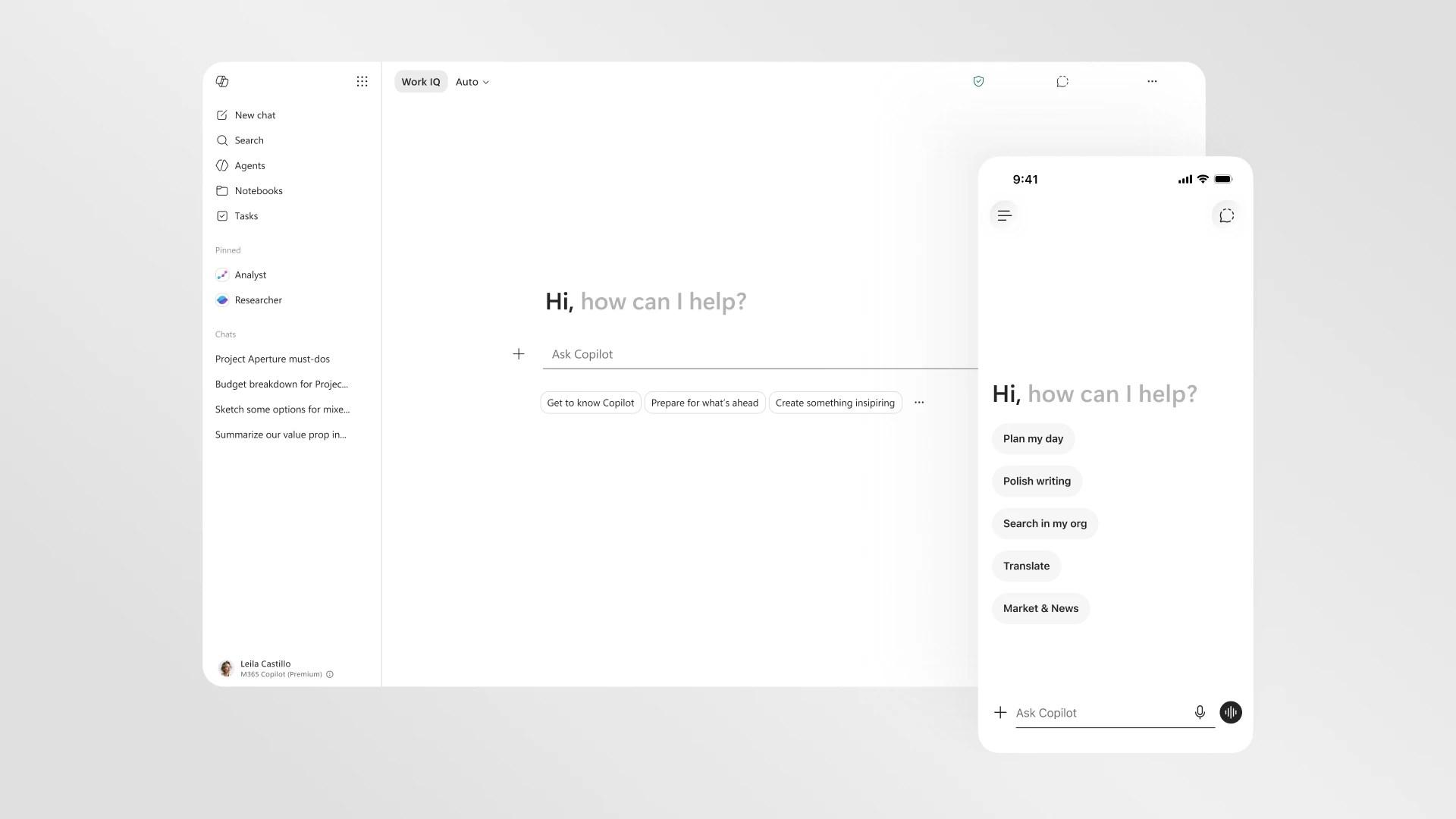
Microsoft 365 Copilot just received a significant redesign that fundamentally improves how users interact with AI assistance across the Microsoft 365 suite. The update delivers a 2x speed improvement, cleaner interface, and smarter response formatting that makes information easier to scan and act on. This is a meaningful refresh that addresses real workflow friction points for enterprise users relying on AI productivity tools daily.
Microsoft's latest redesign transforms the Copilot experience with performance gains and thoughtful interface improvements. The update rolls out across desktop and mobile devices, bringing consistency to how users interact with AI assistance.
The redesign includes technical improvements that enhance both performance and usability across the Microsoft 365 ecosystem.
What Each Feature Actually Means:
Before
Previous versions of Microsoft 365 Copilot loaded slowly, displayed all available options at once regardless of context, and returned responses in dense formats that required significant scanning time. Users on mobile devices experienced inconsistent functionality and had to switch back to desktop for complex tasks. The prompt box had limited formatting capabilities, forcing users to compose requests in plain text without visual structure.
After
The redesigned Copilot loads twice as fast, intelligently shows only relevant tools based on your specific prompt, and formats responses with clear hierarchy and scannable sections. Mobile and desktop experiences are now unified with full feature parity, and the enhanced prompt box supports direct text formatting. Users can accomplish tasks faster with less interface friction and cognitive load.
📈 Expected Impact: Enterprise users will save 20-30% of time spent interacting with Copilot through faster load times, smarter tool discovery, and quicker information scanning. *
For Beginners:
For Power Users:
FAQ
AI Spotlights
Unleashing Today's trailblazer, this week's game-changers, and this month's legends in AI. Dive in and discover tools that matter.

Claude Fable 5 Review: Mythos Power with Safety
Gemma 4 12B Review: Multimodal AI on Your Laptop

Google Dreambeans Review: AI Cartoon Stories
NVIDIA Nemotron 3 Ultra: 550B MoE LLM Review

Meta AI Agent for Enterprises: Global Launch

Gemini Omni and 3.5: Google's Latest AI Models

Step 3.7 Flash Review: 198B MoE Vision-Language Model

Gemini Spark Review: Google's AI Agent Goes Personal
Microsoft Agent Governance Toolkit Review
Gemini Spark AI Agent Review: Always-On Automation

MAI-Thinking-1 Review: Microsoft's Advanced Reasoning AI
Microsoft Scout Review: OpenClaw-Powered AI Assistant

Microsoft MDASH Review: 100+ AI Agents for Threat Hunting

Google Phone App Fake Call Detection Review
Stable Audio 3 Review: Fast AI Audio Generation
Claude Opus 4.8: Dynamic Workflows & Faster AI

Perplexity Bumblebee: AI Supply Chain Security Scanner

AWS OpenSearch Serverless Review: Enterprise Search Reimagined
OSCAR: 2-Bit KV Cache Quantization for LLMs
You Might Like These Latest News
All AI NewsStay informed with the latest AI news, breakthroughs, trends, and updates shaping the future of artificial intelligence.
Microsoft Patches Zero-Day After Researcher Disclosure
Jun 10, 2026
NVIDIA GPUs Power Apple's Private Cloud Compute Expansion
Jun 10, 2026
GM Launches Vehicle-to-Grid Tech to Power AI Data Centers
Jun 10, 2026
Alphabet's $85B AI Investment Signals Major Shift
Jun 5, 2026
AI Cognitive Fatigue: Work Smarter, Not Harder
Jun 5, 2026
Nvidia Unveils Physical AI Research with Cosmos 3
Jun 5, 2026
Airbnb CEO Launches AI Lab to Build Custom LLMs
Jun 5, 2026
Anthropic's IPO Filing Balances Growth With Responsible AI
Jun 3, 2026
Meta's AI Chatbot Exploited to Hijack Instagram Accounts
Jun 3, 2026

Discover the top AI tools handpicked daily by our editors to help you stay ahead with the latest and most innovative solutions.