
Perplexity Personal Computer: AI Agents for Mac

🎯 Quick Impact Summary
Perplexity's Personal Computer represents a significant shift in how AI integrates with your daily computing experience. By bringing autonomous AI agents directly to your Mac, this tool moves beyond traditional chatbots to actively manage tasks, automate workflows, and provide contextual assistance. Now available to all Mac users, it marks a turning point in making AI agents accessible for everyday productivity.
What's New in Perplexity Personal Computer
Perplexity's Personal Computer introduces a fundamentally different approach to desktop AI by deploying autonomous agents that can understand and act on your computer environment.
- Autonomous AI Agents: Desktop-based agents that can perform tasks independently without constant user prompts, learning your workflows and preferences over time
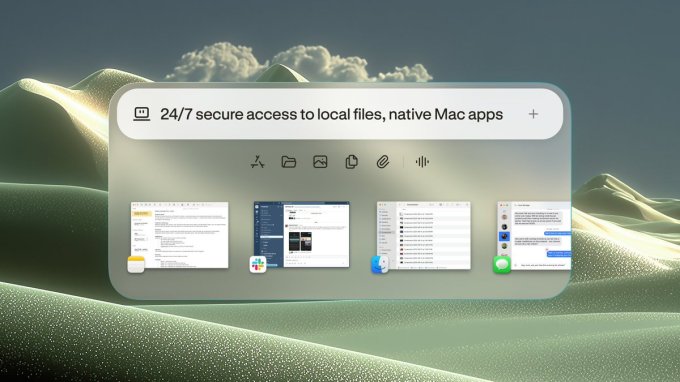
- Mac-Native Integration: Seamless integration with macOS, allowing the AI to interact with your applications, files, and system functions natively
- Universal Availability: Expanded from limited beta to full public release on Mac, making AI agent technology accessible to all users
- Contextual Task Automation: Agents understand the context of your work and can automate multi-step processes across different applications
- Real-Time System Awareness: The AI maintains awareness of your open applications, active projects, and recent actions to provide relevant assistance
- Privacy-Focused Processing: Designed to operate with on-device processing where possible, keeping sensitive work data local
Technical Specifications
Perplexity Personal Computer is built on advanced AI architecture designed specifically for desktop environments and autonomous operation.
- Platform Support: macOS-exclusive release with support for Apple Silicon and Intel-based Macs
- AI Architecture: Built on Perplexity's proprietary AI models optimized for task automation and contextual understanding
- System Integration: Deep integration with macOS APIs for file system access, application control, and system-level automation
- Processing Model: Hybrid approach combining cloud-based reasoning with local processing for performance and privacy
- Compatibility: Works with standard macOS applications including productivity suites, browsers, and development tools
Official Benefits
- Reduces time spent on repetitive multi-step tasks through autonomous agent execution
- Eliminates context-switching by keeping AI assistance integrated within your existing workflow
- Improves task completion accuracy by having AI agents understand your specific preferences and work patterns
- Enables complex automation without requiring programming knowledge or technical setup
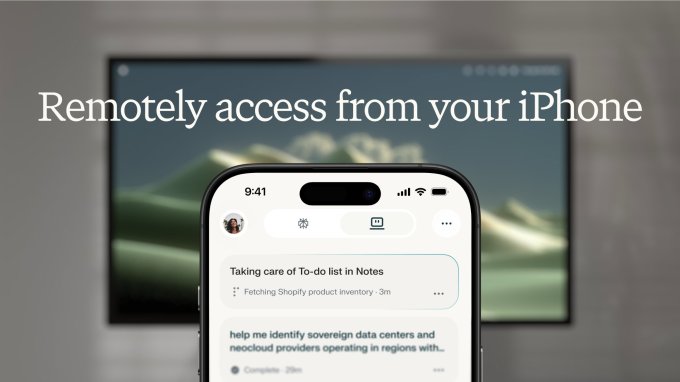
- Provides 24/7 availability for task automation and intelligent assistance across your entire Mac environment
Real-World Translation
What Each Feature Actually Means:
- Autonomous AI Agents: Instead of typing commands or clicking through menus, the AI watches your workflow and can complete entire projects independently. For example, it could automatically organize your downloaded files, rename them according to your system, and file them into the correct folders without you lifting a finger
- Mac-Native Integration: The AI speaks your Mac's language, meaning it can open applications, navigate menus, and interact with your tools exactly as you would. This eliminates the need for special plugins or workarounds
- Contextual Task Automation: The agent remembers that you always format reports a certain way, so it can automatically apply your preferred styling, fonts, and structure to new documents without being asked each time
- Real-Time System Awareness: When you switch between projects, the AI notices and automatically adjusts its assistance. If you're working on a video project, it knows to suggest video-related tools and workflows
- Privacy-Focused Processing: Your sensitive client files and personal data stay on your machine rather than being sent to external servers, giving you peace of mind while using AI assistance
Before vs After
Before
Traditional AI tools required manual prompts for each task, couldn't interact with your applications, and forced you to context-switch between your work and the AI interface. Complex workflows meant repeating the same steps manually or learning to code custom automation scripts.
After
Perplexity Personal Computer runs autonomously in the background, understanding your work patterns and automating entire workflows without intervention. The AI integrates directly with your Mac environment, eliminating context-switching and making complex automation accessible to everyone.
📈 Expected Impact: Users can expect to reclaim 2-4 hours per week previously spent on repetitive tasks, with the AI handling automation intelligently and contextually.
Job Relevance Analysis
AI Researcher
- Use Case: AI researchers can use Personal Computer to automate experimental workflows, manage data processing pipelines, and handle repetitive analysis tasks across multiple applications simultaneously
- Key Benefit: Frees up research time by automating data organization, file management, and preliminary analysis, allowing focus on higher-level research questions and model development
- Workflow Integration: Integrates with research tools, data visualization software, and development environments to create seamless automation across the entire research pipeline
- Skill Development: Helps researchers understand autonomous agent behavior and decision-making patterns, providing practical insights into AI system design and limitations
- Competitive Advantage: Enables faster iteration cycles and more efficient resource utilization, critical for staying competitive in fast-moving AI research

3D Modeler
- Use Case: 3D modelers can automate asset organization, batch processing of models, file format conversions, and repetitive modeling tasks across applications like Blender, Maya, or Cinema 4D
- Key Benefit: Dramatically reduces time spent on tedious file management and preprocessing, allowing artists to focus on creative work and complex modeling tasks
- Workflow Integration: Manages file hierarchies, applies consistent naming conventions, and automates export processes across different 3D software packages
- Skill Development: Provides hands-on experience with AI-driven automation in creative workflows, helping modelers understand how to work effectively alongside autonomous systems
- Productivity Gain: Can automate 30-40% of non-creative tasks, including asset management, versioning, and quality checks

Video Editor
- Use Case: Video editors can use the tool to automate file organization, batch export processes, media library management, and repetitive editing tasks across timeline-based work
- Key Benefit: Reduces administrative overhead by automating media management, allowing editors to concentrate on creative editing decisions and storytelling
- Workflow Integration: Manages project file organization, automates backup processes, and handles batch rendering or format conversion tasks in the background
- Skill Development: Introduces video professionals to AI-assisted workflows and automation possibilities, expanding their technical toolkit beyond traditional editing software
- Time Savings: Particularly valuable for editors handling multiple projects, where the AI can manage file organization and routine tasks across different projects simultaneously

Getting Started
How to Access
- Visit Perplexity's official website and navigate to the Personal Computer section
- Click the download link for macOS and select your processor type (Apple Silicon or Intel)
- Complete the installation process and launch the application
- Sign in with your Perplexity account or create a new one
Quick Start Guide
For Beginners:
- Launch Perplexity Personal Computer and complete the initial setup wizard that walks you through permissions and preferences
- Grant necessary system permissions when prompted (file access, application control, accessibility features)
- Start with a simple task like "organize my downloads folder" to see the agent in action
- Review what the agent did and provide feedback to help it learn your preferences
For Power Users:
- Access advanced settings to configure custom automation rules and define specific workflows for your projects
- Create agent profiles for different work contexts (research, creative work, administrative tasks) with tailored behaviors
- Set up integration with your frequently-used applications and define how the agent should interact with each
- Configure privacy settings to specify which folders and applications the agent can access
- Build complex multi-step automation sequences by chaining together individual tasks and defining conditional logic
Pro Tips
- Start Simple: Begin with basic automation tasks before moving to complex workflows, allowing the agent to learn your patterns and preferences gradually
- Review Agent Actions: Regularly check what the agent has done, especially in the first weeks, to ensure it's learning your preferences correctly and making appropriate decisions
- Use Contextual Naming: Name your projects and files consistently so the agent can better understand your organizational system and apply it automatically
- Leverage Batch Operations: Use the agent for batch processing during off-hours or when you're focused on creative work, maximizing productivity without interruption
FAQ


Related Use Cases






AI Spotlights
Unleashing Today's trailblazer, this week's game-changers, and this month's legends in AI. Dive in and discover tools that matter.
OpenAI Codex Chrome Extension Review
OpenAI Voice Intelligence API: New Features Review

ChatGPT Trusted Contact: New Self-Harm Safeguard
CopilotKit Intelligence: Enterprise AI Memory Platform
OpenAI Training Spec: GPU Performance Breakthrough
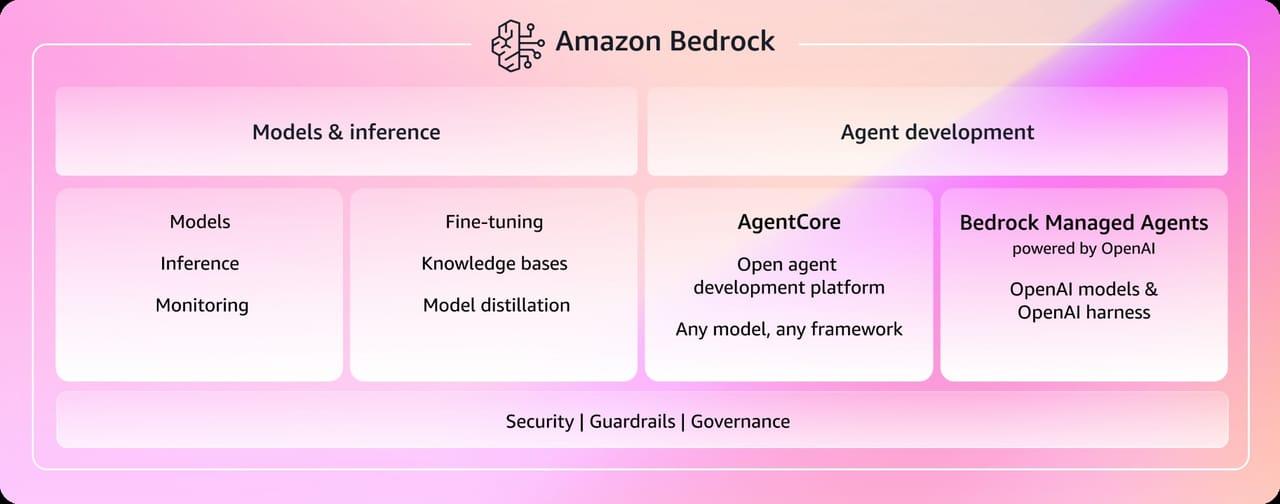
AWS Managed Agents Review: OpenAI Partnership

Glean AI Search Review: Enterprise Search Redefined

ChatGPT Security Update: Advanced Protection Features

Mistral's Cloud Code Platform Review
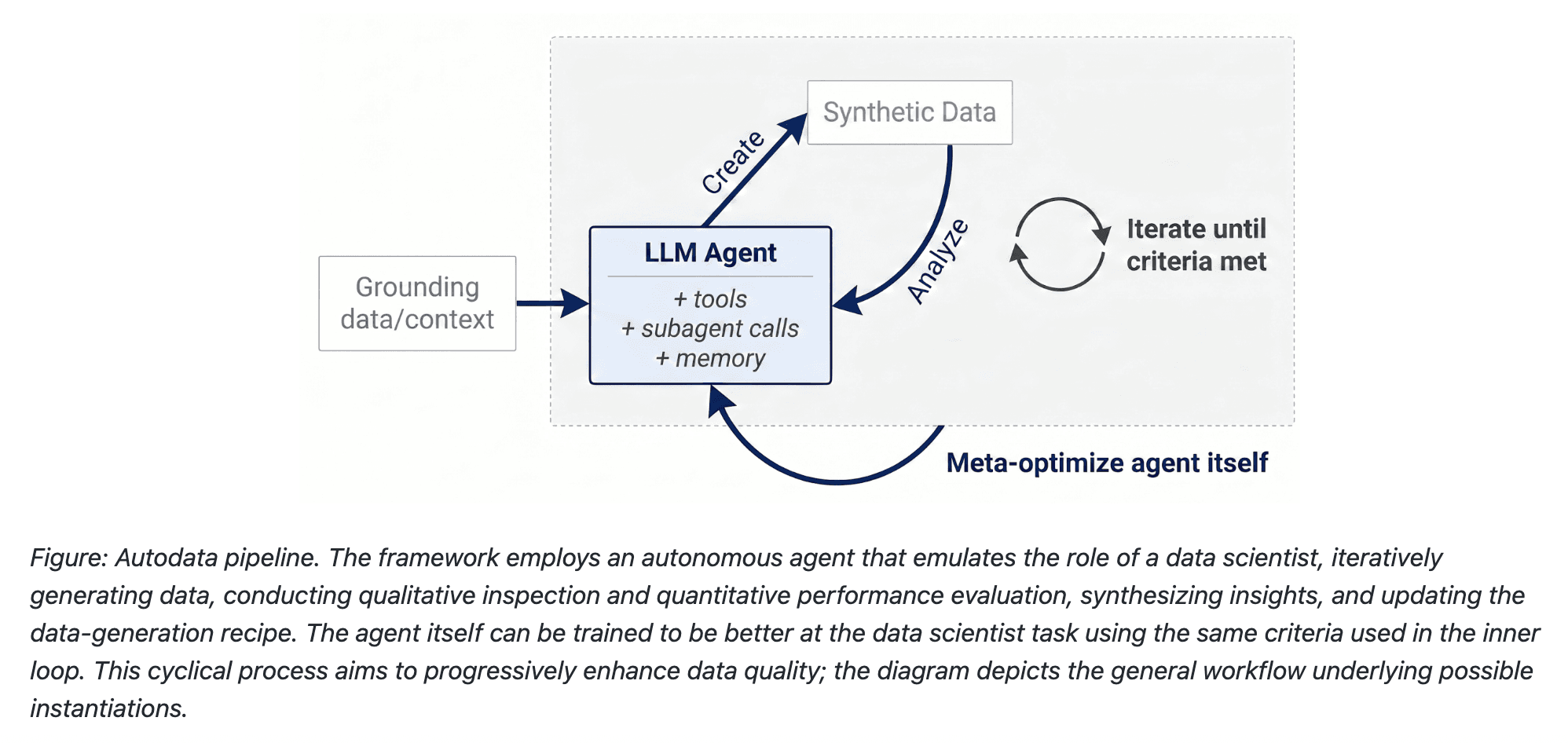
Meta Autodata: AI Framework for Autonomous Data Scientists
Gemini API Webhooks: Real-Time AI Automation
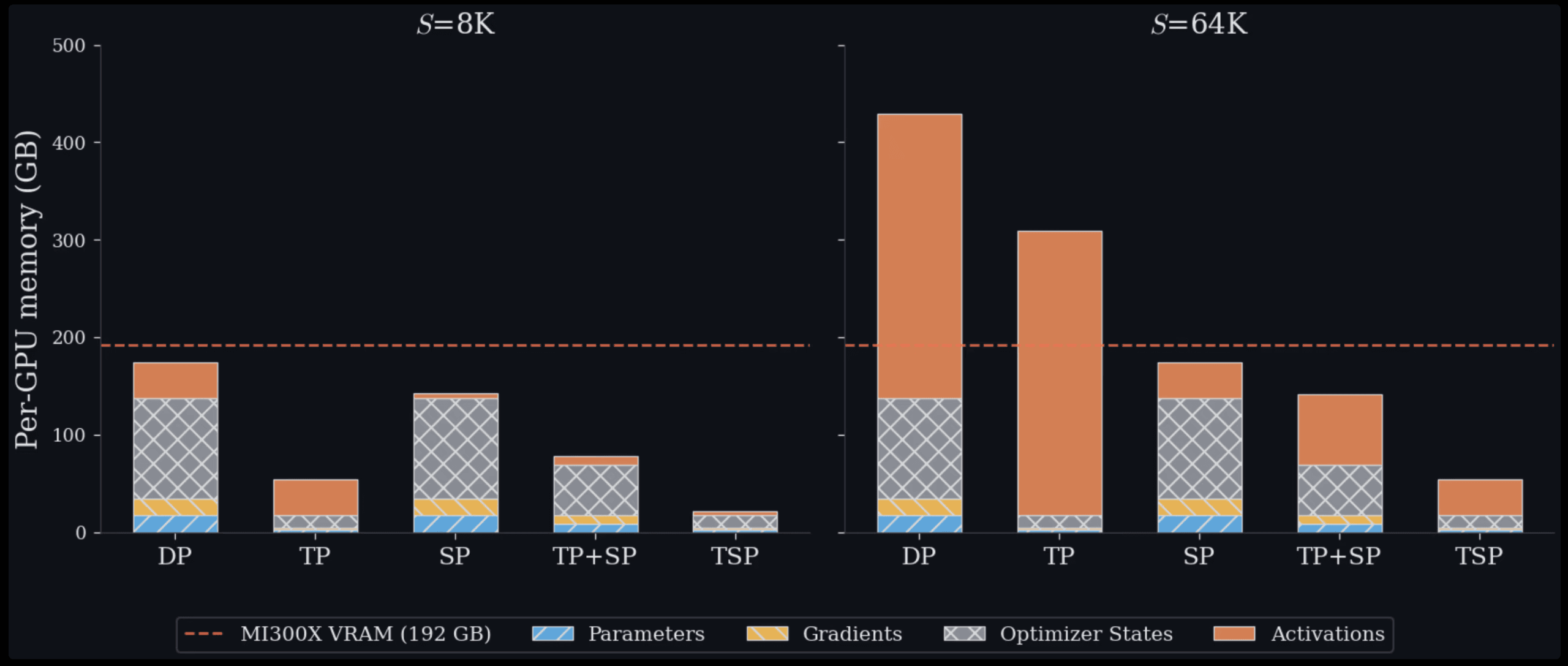
Zyphra TSP: 2.6x Faster AI Training Review

SoundHound OASYS: Self-Learning AI Agent Platform

Google Home Gemini 3.1: Smarter AI Assistant
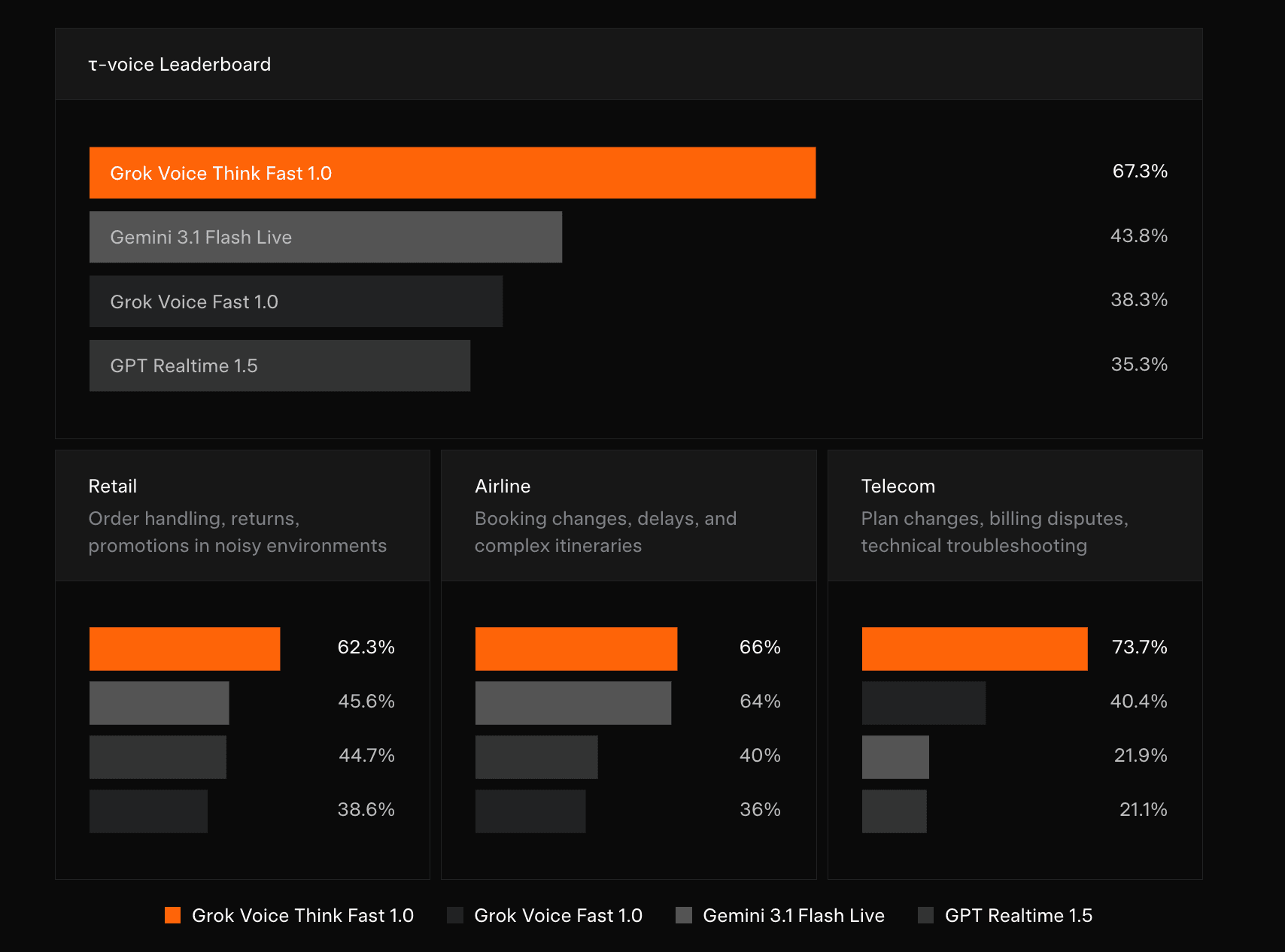
Grok Voice Think Fast 1.0 Review: AI Voice
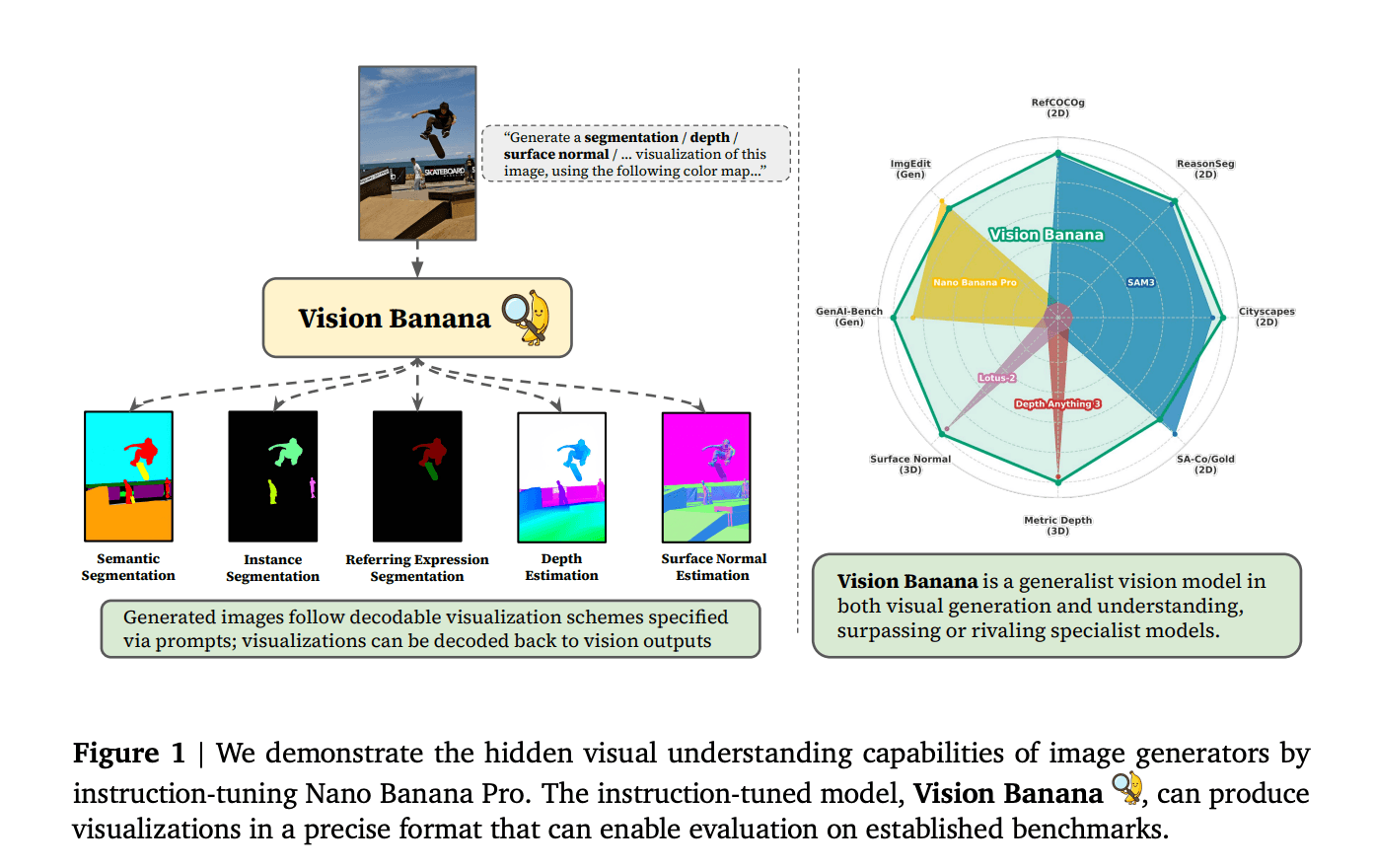
Vision Banana Review: Google's Instruction-Tuned Image Generator
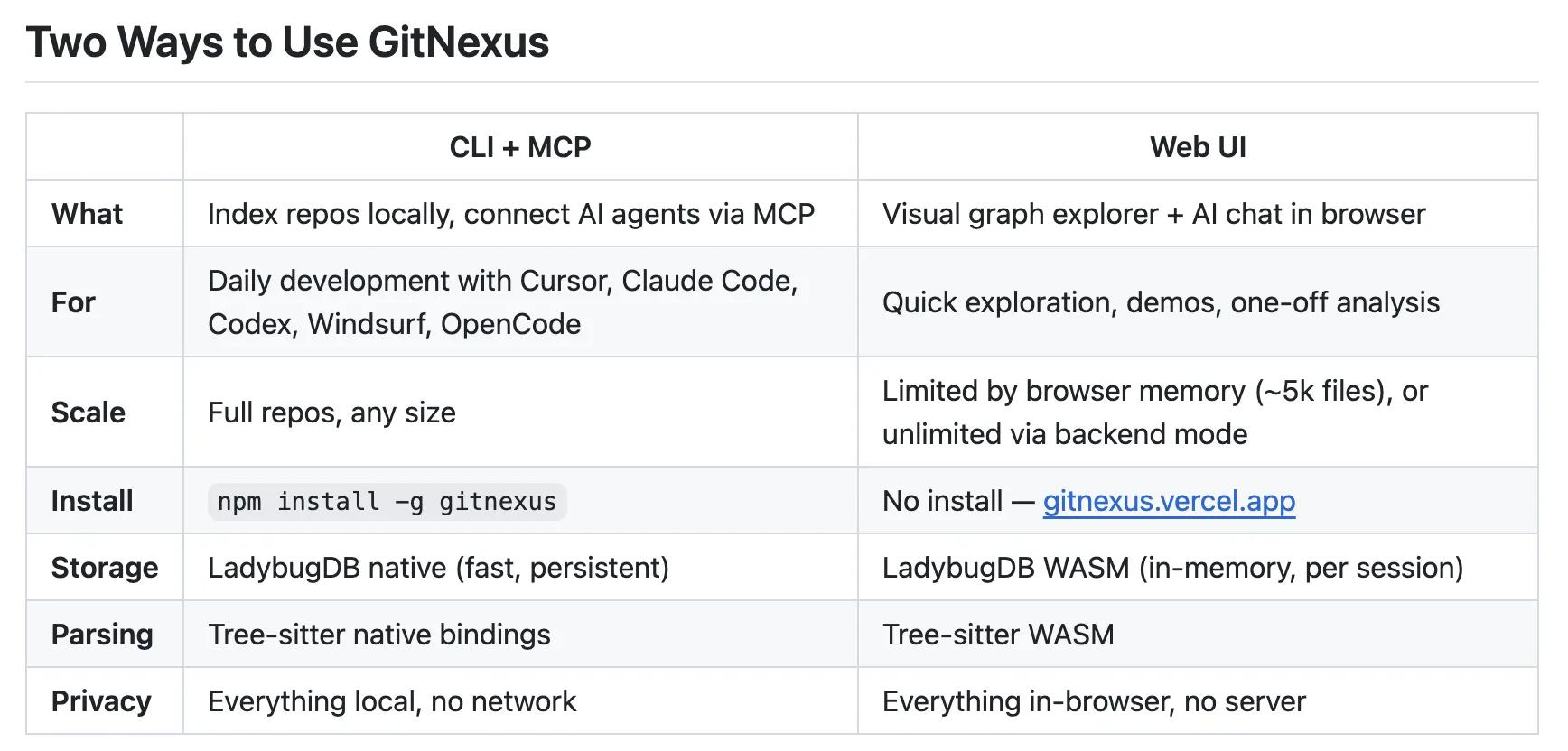
GitNexus Review: Open-Source Code Knowledge Graph
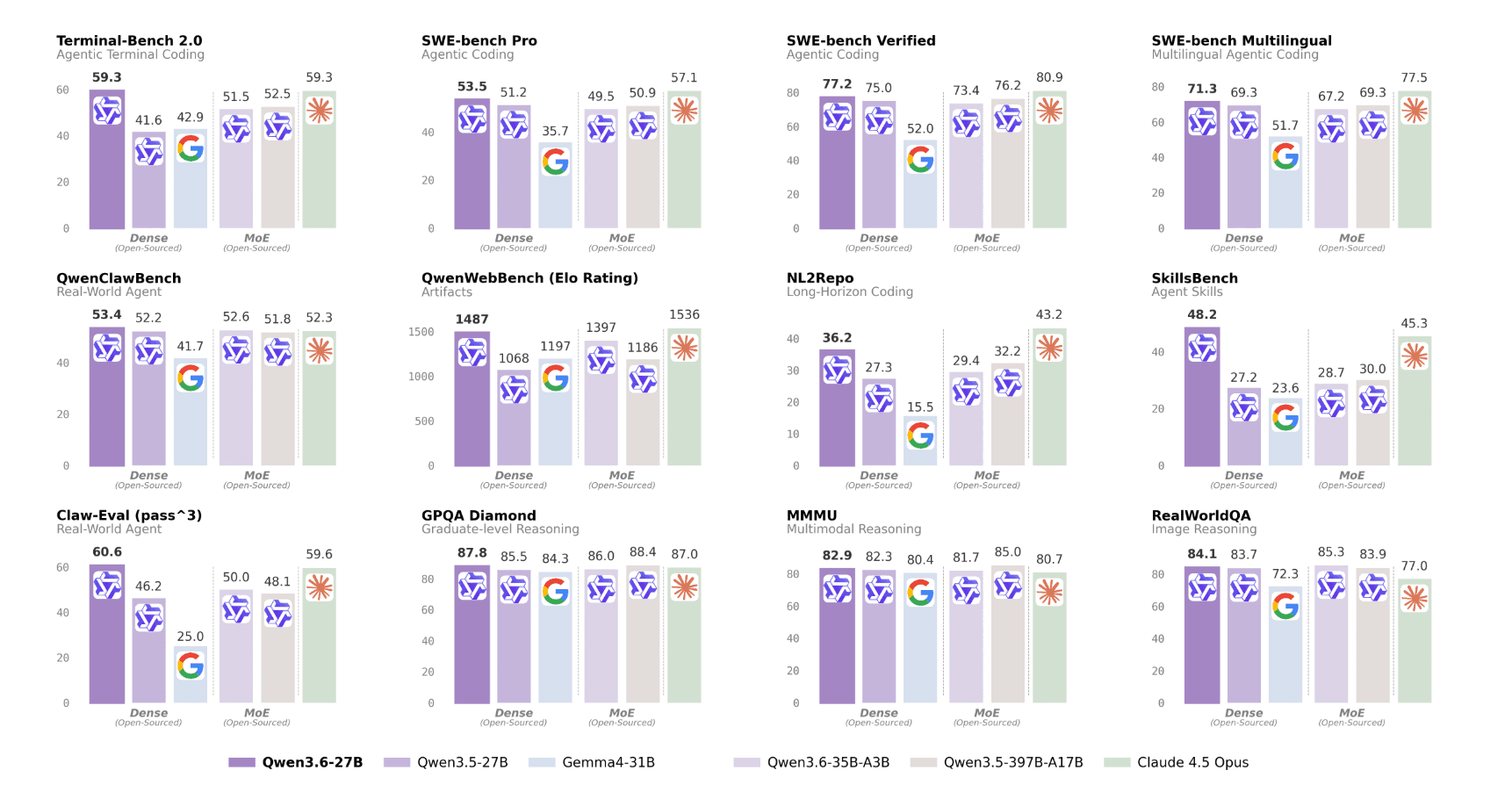
Qwen3.6-27B Review: Dense Model Outperforms 397B MoE

ChatGPT Workspace Agents: Custom AI Bots for Teams
You Might Like These Latest News
All AI NewsStay informed with the latest AI news, breakthroughs, trends, and updates shaping the future of artificial intelligence.
AI Data Centers Face Growing Crisis
May 10, 2026
SpaceX Plans $55B AI Chip Plant in Texas
May 8, 2026
Voi Founders Launch AI Startup Pit With $16M Seed
May 8, 2026
US Energy Secretary and NVIDIA Discuss AI-Powered Energy Future
May 8, 2026
Anthropic Finance Agents Disrupt Wall Street Jobs
May 7, 2026
Snap Ends $400M Perplexity AI Search Deal
May 7, 2026
Microsoft Copilot Hits 20M Paid Users
May 6, 2026
Runway Eyes World Models Beyond AI Video
May 6, 2026
Microsoft to Exploit New OpenAI Deal
May 6, 2026

Tools of The Day
Discover the top AI tools handpicked daily by our editors to help you stay ahead with the latest and most innovative solutions.