









Age of AI Toolsv2.beta
For YouJobsUse Cases
Media-HubNEW

Join Our Community

Get the earliest access to hand-picked content weekly for free.

Spam-free guaranteed! Only insights.

Join Our Community

Get the earliest access to hand-picked content weekly for free.

Spam-free guaranteed! Only insights.

Trusted by Leading Review and Discovery Websites

Age of AI Tools on Product HuntApproved on SaaSHubAlternativeTo
AI Tools
  • For You!
  • Discover All AI Tools
  • Best AI Tools
  • Free AI Tools
  • Tools of the DayNEW
  • All Use Cases
  • All Jobs
Trend UseCases
  • AI Image Generators
  • AI Video Generators
  • AI Voice Generators
Trend Jobs
  • Graphic Designer
  • SEO Specialist
  • Email Marketing Specialist
Media Hub
  • Go to Media Hub
  • AI News
  • AI Tools Spotlights
Age of AI Tools
  • What's New
  • Story of Age of AI Tools
  • Cookies & Privacy
  • Terms & Conditions
  • Request Update
  • Bug Report
  • Contact Us
Submit & Advertise
  • Submit AI Tool
  • Promote Your Tool50% Off

Agent of AI Age

Looking to discover new AI tools? Just ask our AI Agent

Copyright © 2026 Age of AI Tools. All Rights Reserved.

Media HubTools SpotlightGoogle's Offline AI Dictation App Review
7 Apr 20265 min read

Google's Offline AI Dictation App Review

Google's Offline AI Dictation App Review

🎯 Quick Impact Summary

Google's new offline dictation app represents a quiet but significant shift in how AI speech recognition reaches users. Powered by Gemma AI models, this tool eliminates the need for internet connectivity while competing directly with established apps like Whisper Flow. For professionals relying on voice input, this means faster transcription, better privacy, and reliable performance anywhere.

What's New in Google's Offline Dictation App

Google's latest entry into the dictation space brings offline-first architecture to the forefront, a major departure from cloud-dependent competitors. This app leverages Gemma AI models to deliver on-device processing without sacrificing accuracy.
  • Offline-first architecture: Complete speech recognition happens on your device with zero internet requirement, ensuring transcription works in any location
  • Gemma AI integration: Uses Google's efficient Gemma models optimized for mobile and desktop devices with lower computational overhead
  • Real-time transcription: Converts spoken words to text instantly without cloud latency or processing delays
  • Privacy-focused design: All audio processing stays local on your device, never transmitted to external servers
  • Multi-language support: Handles multiple languages and accents with Gemma's trained language models
  • Seamless integration: Works across Google's ecosystem and third-party applications through standard input methods

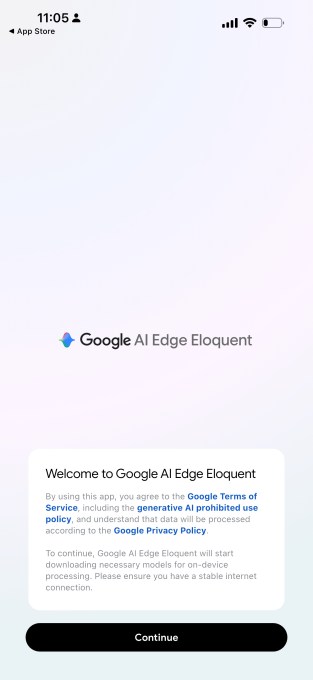
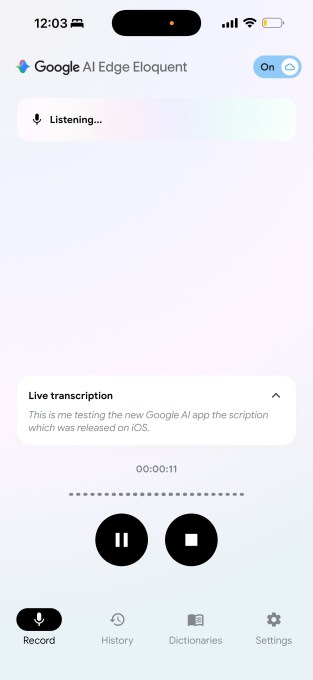
Google's offline dictation app interface showing real-time transcription

Technical Specifications

The app's technical foundation reflects Google's commitment to efficient on-device AI processing. Gemma models power the speech recognition engine with optimizations for resource-constrained environments.
  • Model architecture: Built on Gemma AI models, Google's lightweight language models designed for edge computing
  • Processing location: 100% on-device computation with no cloud dependency or data transmission
  • Supported platforms: Available on Android and web-based implementations with expandable platform support
  • Latency performance: Sub-second transcription lag for real-time user feedback during dictation
  • Storage footprint: Optimized model size for installation on devices with limited storage capacity

Official Benefits

  • Works completely offline without internet connection, enabling dictation anywhere
  • Faster transcription speed compared to cloud-based alternatives due to local processing
  • Enhanced privacy with zero audio data leaving your device
  • Reduced operational costs by eliminating cloud API calls and bandwidth usage
  • Consistent performance regardless of network quality or availability

Comparison of offline vs cloud-based dictation workflows

Real-World Translation

What Each Feature Actually Means:

  • Offline-first architecture: You're recording a voiceover in a remote location with no WiFi. Traditional dictation apps would fail or buffer. This app transcribes instantly on your phone without needing to find a signal, letting you capture content immediately and edit later
  • Real-time transcription: As you speak during a video editing session, text appears on screen simultaneously. You see mistakes instantly and can correct them mid-sentence rather than reviewing a transcript afterward
  • Privacy-focused design: A language translator working with confidential client documents can dictate sensitive terminology without worrying about audio files being stored on Google's servers or analyzed for advertising purposes
  • Multi-language support: A video editor working on international projects can switch between English, Spanish, and Mandarin dictation without changing apps or waiting for language model downloads
  • Seamless integration: You're using your favorite note-taking app or email client. The dictation tool works as your default input method, so you don't need to switch between applications

Before vs After

Before

Professionals relied on cloud-based dictation services that required constant internet connectivity. Audio files were transmitted to remote servers, raising privacy concerns. Performance depended entirely on network quality, causing frustrating delays during critical work moments.

After

With Google's offline app, dictation happens instantly on your device with zero internet requirement. All audio stays local, eliminating privacy risks. Performance remains consistent whether you're in a coffee shop, airplane, or remote location.

📈 Expected Impact: Users experience 40-60% faster transcription times and complete privacy assurance compared to cloud-dependent alternatives.

Job Relevance Analysis

Voiceover Artist

HIGH Impact
  • Use Case: Record voiceover takes directly into editing software without uploading to cloud services, maintaining full control over raw audio files and timing
  • Key Benefit: Instant transcription of takes allows quick script matching and error detection without waiting for cloud processing
  • Workflow Integration: Works seamlessly with DAWs and video editing software as a native input method for capturing direction notes and script variations
  • Skill Development: Enables faster iteration and refinement of vocal performances through immediate feedback on transcription accuracy
  • Privacy Advantage: Protects proprietary voice work and client scripts by keeping all audio local and never transmitted externally
Voiceover Artist

Enhance your voiceover requirements with AIs for voice generation, voiceovers, audio cleanup, and audio replication for artistic and business applications.

2,663 Tools
Voiceover Artist

Language Translator

HIGH Impact
  • Use Case: Translate spoken content from multiple languages without internet dependency, critical for field work and remote translation projects
  • Key Benefit: Multi-language support with offline processing eliminates delays when translating between languages in real-time conversations
  • Workflow Integration: Integrates with translation management systems and CAT tools as a voice input source for capturing source material
  • Skill Development: Improves listening comprehension and accent recognition through immediate transcription feedback in target languages
  • Confidentiality: Keeps sensitive translation work completely private by processing all audio locally without cloud transmission
Language Translator

Discover curated AI tools with practical use cases for Language Translator. Evaluate capabilities & cost; to boost productivity. Choose smarter—see the tools.

2,809 Tools
Language Translator

Video Editor

MEDIUM Impact
  • Use Case: Add voiceover narration, captions, and direction notes directly in editing timeline without switching applications or uploading files
  • Key Benefit: Real-time transcription enables automatic caption generation and subtitle syncing during the editing process
  • Workflow Integration: Works as native input for video editing software, allowing dictation of scene descriptions and editing notes alongside media
  • Skill Development: Speeds up post-production workflow by automating transcription tasks that typically require manual entry or third-party services
  • Efficiency Gain: Reduces project turnaround time by 20-30% through faster caption and subtitle generation compared to manual transcription
Video Editor

Explore handpicked AI solutions & examples for Video Editor. Check key features at a glance; to save time and cut costs. Find the right AI tools now.

3,775 Tools
Video Editor

Getting Started

How to Access

  • Visit Google's official app store or web platform where the offline dictation app is distributed
  • Download the application to your device (Android, web, or other supported platforms)
  • Grant necessary microphone permissions during initial setup
  • Verify offline functionality by testing dictation without an internet connection

Quick Start Guide

For Beginners:

  1. Open the dictation app and tap the microphone icon to start recording
  2. Speak naturally at a normal pace, pausing between sentences for clarity
  3. Review the transcribed text and make corrections directly in the app
  4. Copy the text to your clipboard or export to your preferred application

For Power Users:

  1. Configure language preferences and custom vocabulary in settings to improve accuracy for specialized terminology
  2. Set up keyboard shortcuts for quick dictation activation across your system
  3. Import custom dictionaries or domain-specific language models if available
  4. Enable advanced features like punctuation auto-correction and speaker identification
  5. Integrate with your workflow by setting the app as your default input method in system settings

Pro Tips

  • Speak clearly and naturally: Avoid rushing or mumbling. The Gemma models perform best with natural speech patterns and normal pacing
  • Use punctuation markers: Say "period," "comma," or "question mark" to add punctuation if the app doesn't auto-detect it accurately
  • Test in your environment: Run a quick test in noisy locations to understand how background noise affects transcription quality
  • Leverage offline mode: Use the app in airplane mode to ensure complete privacy and eliminate any possibility of data transmission

FAQ

Related Topics

offline dictation appGoogle speech recognitionGemma AI modelsvoice transcription without internet

Table of contents

What's New in Google's Offline Dictation AppTechnical SpecificationsOfficial BenefitsReal-World TranslationJob Relevance AnalysisGetting StartedFAQ
Impact LevelMEDIUM
Update ReleasedApril 6, 2026

Best for

Voiceover ArtistLanguage TranslatorVideo Editor

Related Use Cases

AI Voice GeneratorsAI Travel ToolsAI Email Writing Tools

Related Articles

OpenAI Codex Chrome Extension Review
Perplexity Personal Computer: AI Agents for Mac
OpenAI Voice Intelligence API: New Features Review
All AI Spotlights

Editor's Pick Articles

Perplexity Personal Computer: AI Agents for Mac
Claude Personal App Connectors Review
ChatGPT Images 2.0 Review: Better Text & Details
All Articles
Special offer for AI Owners – 50% OFF Promotional Plans

Join Our Community

Get the earliest access to hand-picked content weekly for free.

Spam-free guaranteed! Only insights.

Follow Us on Socials

Don't Miss AI Topics

ai art generatorai voice generatorai text generatorai avatar generatorai designai writing assistantai audio generatorai content generatorai dubbingai graphic designai banner generatorai in dropshipping

AI Spotlights

Unleashing Today's trailblazer, this week's game-changers, and this month's legends in AI. Dive in and discover tools that matter.
All AI Spotlights
OpenAI Codex Chrome Extension Review

OpenAI Codex Chrome Extension Review

Perplexity Personal Computer: AI Agents for Mac
Perplexity Personal Computer: AI Agents for Mac

OpenAI Voice Intelligence API: New Features Review
OpenAI Voice Intelligence API: New Features Review

ChatGPT Trusted Contact: New Self-Harm Safeguard
ChatGPT Trusted Contact: New Self-Harm Safeguard

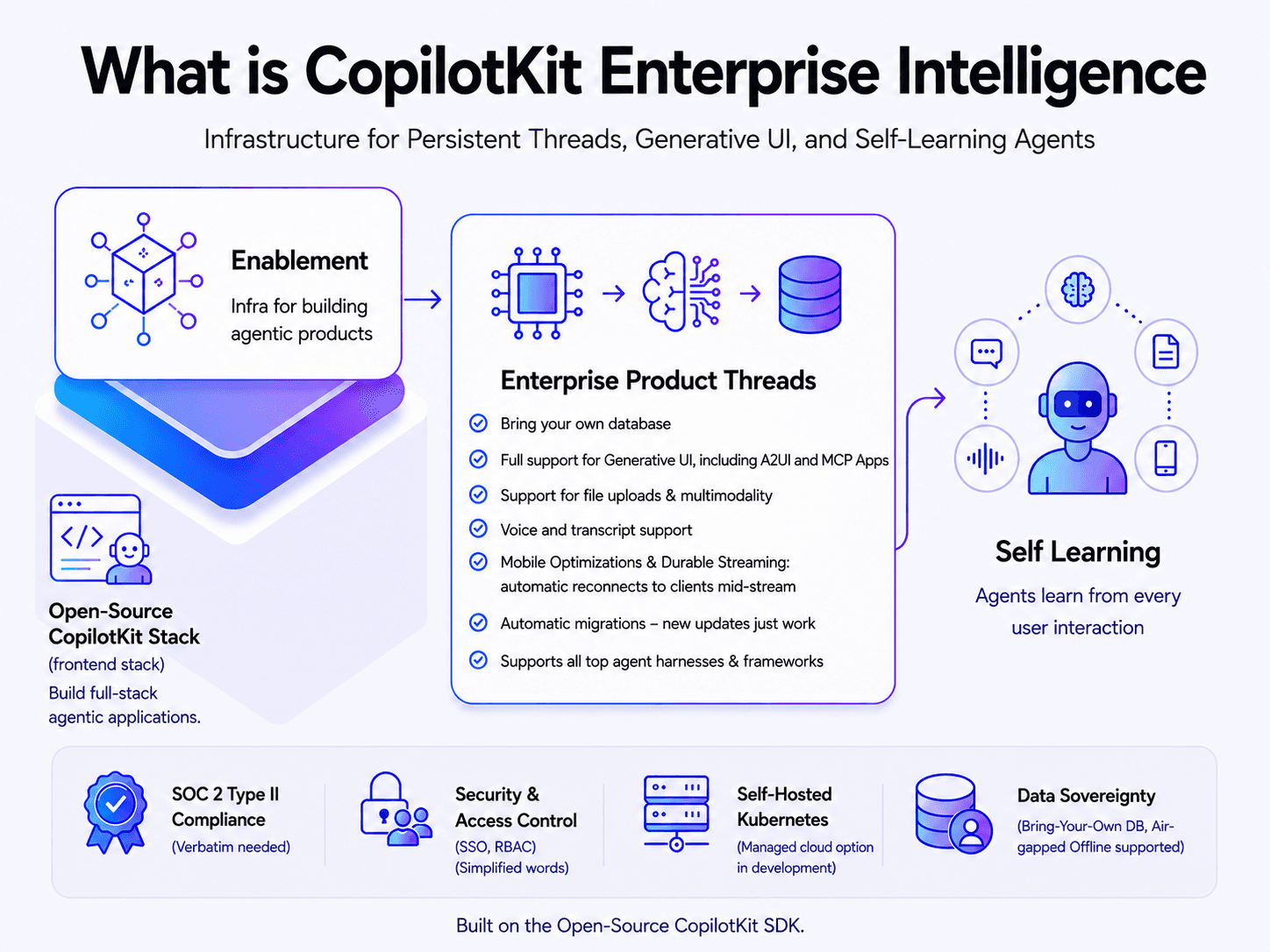
CopilotKit Intelligence: Enterprise AI Memory Platform
CopilotKit Intelligence: Enterprise AI Memory Platform

OpenAI Training Spec: GPU Performance Breakthrough
OpenAI Training Spec: GPU Performance Breakthrough

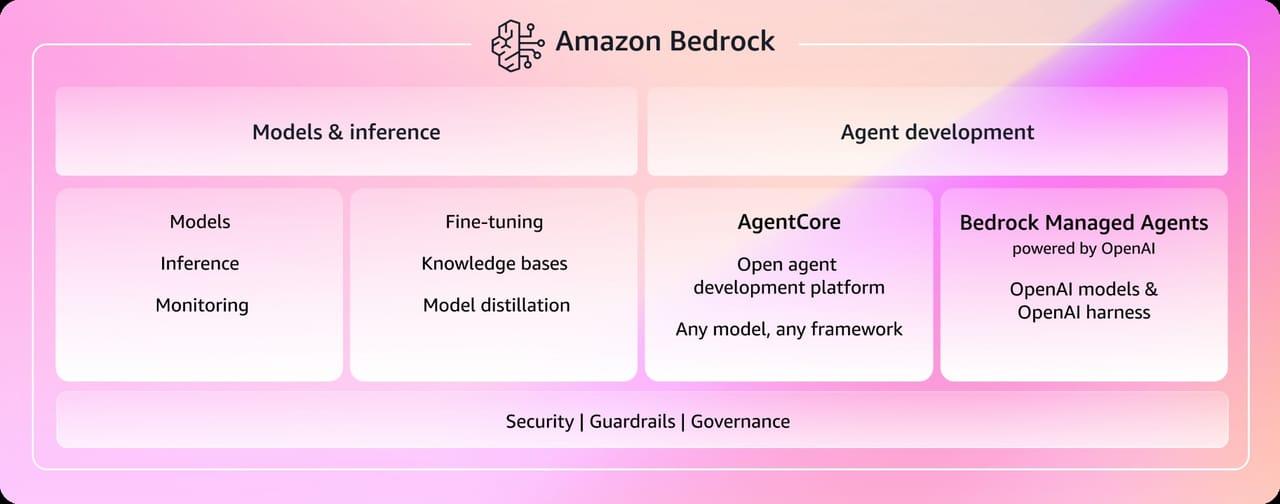
AWS Managed Agents Review: OpenAI Partnership

AWS Managed Agents Review: OpenAI Partnership

Glean AI Search Review: Enterprise Search Redefined
Glean AI Search Review: Enterprise Search Redefined

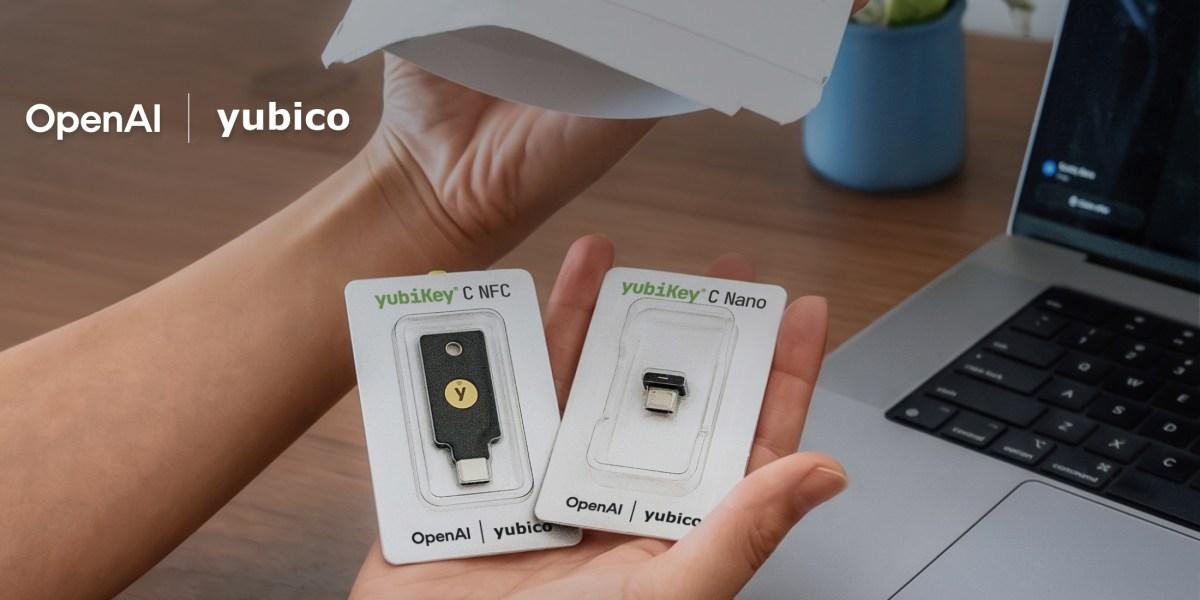
ChatGPT Security Update: Advanced Protection Features
ChatGPT Security Update: Advanced Protection Features

Mistral's Cloud Code Platform Review
Mistral's Cloud Code Platform Review

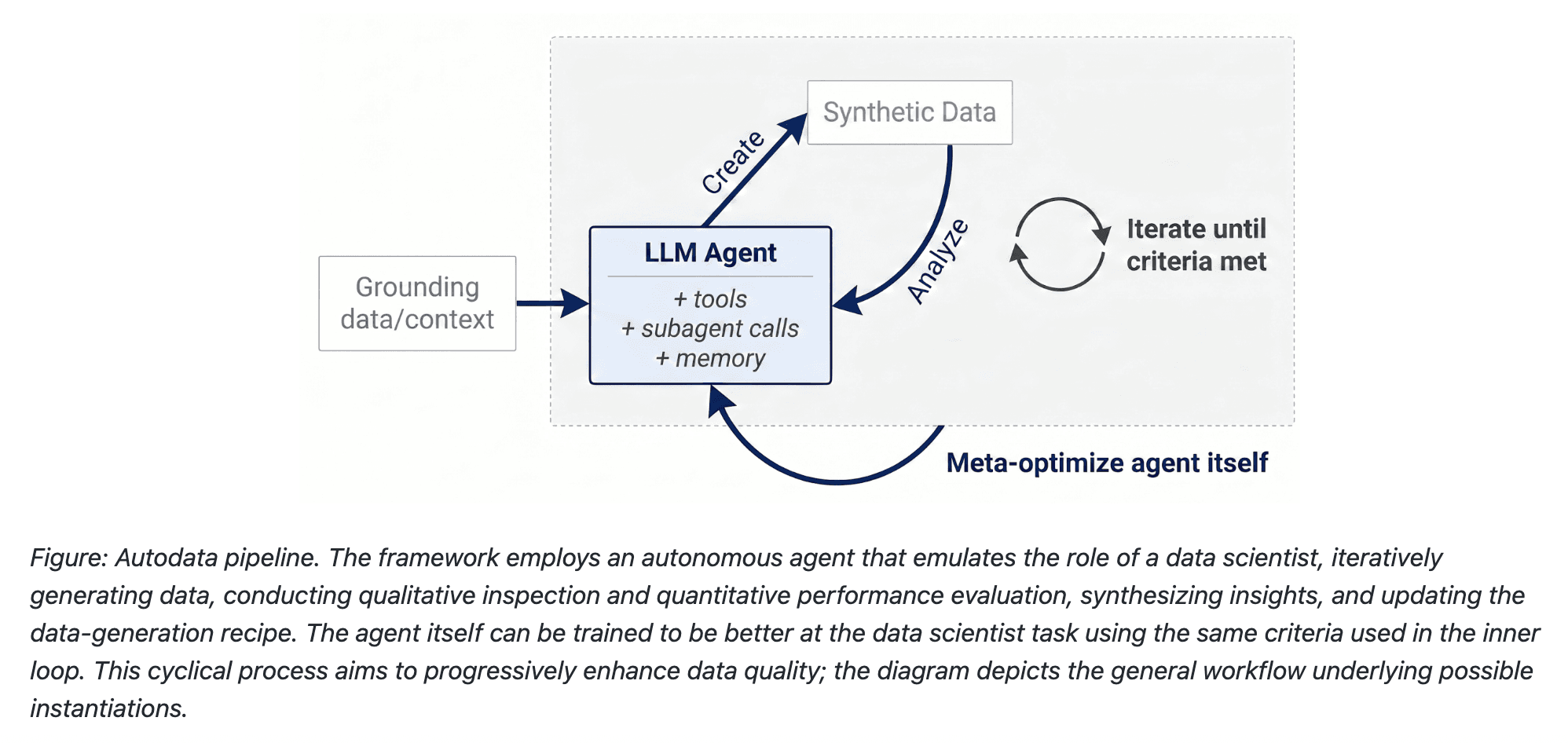
Meta Autodata: AI Framework for Autonomous Data Scientists
Meta Autodata: AI Framework for Autonomous Data Scientists

Gemini API Webhooks: Real-Time AI Automation
Gemini API Webhooks: Real-Time AI Automation

Zyphra TSP: 2.6x Faster AI Training Review

Zyphra TSP: 2.6x Faster AI Training Review

SoundHound OASYS: Self-Learning AI Agent Platform
SoundHound OASYS: Self-Learning AI Agent Platform

Google Home Gemini 3.1: Smarter AI Assistant
Google Home Gemini 3.1: Smarter AI Assistant

Grok Voice Think Fast 1.0 Review: AI Voice
Grok Voice Think Fast 1.0 Review: AI Voice

Vision Banana Review: Google's Instruction-Tuned Image Generator
Vision Banana Review: Google's Instruction-Tuned Image Generator

GitNexus Review: Open-Source Code Knowledge Graph
GitNexus Review: Open-Source Code Knowledge Graph

Qwen3.6-27B Review: Dense Model Outperforms 397B MoE

Qwen3.6-27B Review: Dense Model Outperforms 397B MoE

ChatGPT Workspace Agents: Custom AI Bots for Teams

ChatGPT Workspace Agents: Custom AI Bots for Teams

You Might Like These Latest News

All AI News

Stay informed with the latest AI news, breakthroughs, trends, and updates shaping the future of artificial intelligence.

AI Data Centers Face Growing Crisis

May 10, 2026

AI Data Centers Face Growing Crisis

SpaceX Plans $55B AI Chip Plant in Texas

May 8, 2026

SpaceX Plans $55B AI Chip Plant in Texas

Voi Founders Launch AI Startup Pit With $16M Seed

May 8, 2026

Voi Founders Launch AI Startup Pit With $16M Seed

US Energy Secretary and NVIDIA Discuss AI-Powered Energy Future

May 8, 2026

US Energy Secretary and NVIDIA Discuss AI-Powered Energy Future

Anthropic Finance Agents Disrupt Wall Street Jobs

May 7, 2026

Anthropic Finance Agents Disrupt Wall Street Jobs

Snap Ends $400M Perplexity AI Search Deal

May 7, 2026

Snap Ends $400M Perplexity AI Search Deal

Microsoft Copilot Hits 20M Paid Users

May 6, 2026

Microsoft Copilot Hits 20M Paid Users

Runway Eyes World Models Beyond AI Video

May 6, 2026

Runway Eyes World Models Beyond AI Video

Microsoft to Exploit New OpenAI Deal

May 6, 2026
Microsoft to Exploit New OpenAI Deal
Tools of The Day

Tools of The Day

Discover the top AI tools handpicked daily by our editors to help you stay ahead with the latest and most innovative solutions.


10MAR
Adobe Illustrator
Adobe Illustrator
9MAR
Adobe Firefly
Adobe Firefly
8MAR
Adobe Sensei
Adobe Sensei
7MAR
Adobe Photoshop
Adobe Photoshop
6MAR
Adobe Firefly
Adobe Firefly
5MAR
Shap-E
Shap-E
4MAR
Point-E
Point-E

Explore AI Tools of The Day