
Adobe AI Agent Platform for CX Review

🎯 Quick Impact Summary
Adobe's new AI agent platform represents a significant push into enterprise customer service automation, enabling businesses to scale AI-powered workflows without extensive coding. The platform arrives in an increasingly crowded market, but Adobe's integration with existing CX tools and focus on workflow automation gives it a competitive edge for organizations already invested in the Adobe ecosystem.
What's New in Adobe AI Agent Platform
Adobe's latest offering brings enterprise-grade AI agent capabilities designed specifically for customer experience teams. The platform focuses on reducing manual work while maintaining quality customer interactions at scale.
- AI Agent Orchestration: Build and deploy multiple AI agents that work together to handle complex customer service scenarios without manual intervention
- No-Code Workflow Builder: Create sophisticated agent workflows using a visual interface, eliminating the need for extensive development resources
- CX Integration: Seamlessly connects with Adobe Experience Cloud tools, allowing agents to access customer data and history in real-time
- Multi-Channel Support: Deploy agents across email, chat, social media, and other customer touchpoints from a single platform
- Intelligent Routing: Automatically directs customer inquiries to the most appropriate agent or human representative based on complexity and context
- Performance Analytics: Built-in monitoring and reporting tools track agent effectiveness, customer satisfaction, and operational metrics
Technical Specifications
The platform is built on Adobe's cloud infrastructure with enterprise-grade reliability and security standards. Here's what powers the system:
- Architecture: Cloud-native microservices designed for horizontal scaling and high availability across global regions
- Integration Framework: Native connectors to Adobe Experience Cloud, Salesforce, Zendesk, and 100+ third-party CX platforms
- Processing Capacity: Handles thousands of concurrent customer interactions with sub-second response times
- Data Security: Enterprise-grade encryption, compliance with GDPR, CCPA, and SOC 2 Type II standards
- API-First Design: RESTful APIs enable custom integrations and extensibility for enterprise workflows
Official Benefits
- Reduce Response Time: Automate routine inquiries to achieve 24/7 customer support without proportional staffing increases
- Lower Operational Costs: Decrease reliance on human agents for repetitive tasks, redirecting team resources to complex issues
- Improve Customer Satisfaction: Consistent, instant responses to common questions increase first-contact resolution rates
- Scale Without Hiring: Handle 3-5x more customer interactions using the same team size through intelligent automation
- Faster Time-to-Value: Deploy agents in days rather than months with the no-code workflow builder
Real-World Translation
What Each Feature Actually Means:
- AI Agent Orchestration: Instead of building separate bots for each task, you create a team of specialized agents that collaborate. For example, one agent handles billing questions while another manages returns, and they hand off to each other automatically when needed.
- No-Code Workflow Builder: Your customer service team can build and modify agent behaviors without waiting for developers. A support manager can create a new workflow to handle seasonal promotions in hours instead of weeks.
- CX Integration: When a customer contacts support, the AI agent instantly sees their purchase history, previous interactions, and preferences. This means personalized responses without the agent having to ask for context.
- Multi-Channel Support: A single agent handles customers whether they reach you via Twitter, email, or your website chat. You don't need separate systems for each channel.
- Intelligent Routing: Complex issues automatically escalate to humans while simple questions get instant AI responses. Your team focuses on problems that actually need human judgment.
Before vs After
Before
Companies relied on static chatbots with limited capabilities, requiring significant developer involvement to update workflows. Customer service teams manually handled most inquiries, leading to slow response times and high operational costs. Scaling support meant hiring more staff or accepting longer wait times.
After
With Adobe's AI agent platform, businesses deploy intelligent agents that learn from interactions and improve over time. Customer service teams focus on complex issues while routine inquiries get instant, personalized responses. The platform scales automatically to handle volume spikes without additional hiring.
📈 Expected Impact: Organizations can expect 40-60% reduction in routine inquiry handling time while maintaining or improving customer satisfaction scores.
Job Relevance Analysis
AI Researcher
- Use Case: AI researchers use the platform to develop and test new agent architectures, experiment with different training approaches, and evaluate model performance across customer service scenarios
- Key Benefit: Access to real-world customer interaction data and the ability to deploy experimental agents at scale without infrastructure overhead
- Workflow Integration: Researchers can rapidly prototype new agent behaviors, measure effectiveness against baselines, and iterate based on performance metrics
- Skill Development: Deepens expertise in multi-agent systems, reinforcement learning from customer feedback, and production-grade AI deployment
- Research Opportunities: The platform provides a testbed for studying how AI agents handle ambiguous customer requests and improve through interaction patterns

Automation Engineer
- Use Case: Automation engineers design and deploy complex agent workflows that integrate with existing enterprise systems, handle edge cases, and optimize routing logic
- Key Benefit: The no-code workflow builder reduces development time while the API-first architecture enables custom integrations for specialized business processes
- Workflow Integration: Engineers configure agent behaviors, set up handoff rules between agents, and establish escalation criteria for human intervention
- Skill Development: Builds expertise in workflow orchestration, system integration patterns, and enterprise automation best practices
- Operational Value: Reduces time-to-deployment from months to weeks, allowing engineers to focus on complex automation challenges rather than basic infrastructure

Business Analyst
- Use Case: Business analysts define customer service requirements, analyze agent performance data, and identify opportunities to automate additional workflows
- Key Benefit: Built-in analytics and reporting tools provide clear visibility into agent effectiveness, customer satisfaction, and operational metrics
- Workflow Integration: Analysts gather requirements from support teams, translate them into agent workflows, and monitor KPIs to optimize performance
- Skill Development: Develops understanding of AI capabilities and limitations in customer service contexts, improving ability to scope automation projects
- Business Impact: Enables data-driven decisions about which processes to automate and where human intervention remains essential

Getting Started
How to Access
- Adobe Account: Log into your Adobe Experience Cloud account or create a new one if you're not already an Adobe customer
- Platform Access: Navigate to the AI Agent Platform within the Experience Cloud dashboard
- Workspace Setup: Create a dedicated workspace for your customer service team and configure initial settings
- Integration Configuration: Connect your existing CX tools, customer databases, and communication channels
Quick Start Guide
For Beginners:
- Start with a pre-built agent template for common use cases like FAQ handling or order status inquiries
- Customize the template using the visual workflow builder by dragging and dropping components
- Connect one communication channel (email or chat) and test the agent with sample customer inquiries
- Monitor performance using the built-in dashboard and make adjustments based on initial results
For Power Users:
- Design custom agent architectures using the API to create specialized agents for specific business domains
- Implement advanced routing logic that considers customer sentiment, issue complexity, and agent availability
- Set up continuous learning loops where agents improve based on interaction outcomes and human feedback
- Integrate with your data warehouse to enable agents to access real-time business intelligence and personalization data
- Configure webhooks and custom actions to trigger external systems and create seamless end-to-end workflows
Pro Tips
- Start Small: Begin with one high-volume use case like password resets or order tracking before expanding to complex scenarios
- Monitor Handoffs: Track how often agents escalate to humans and use that data to identify where agent capabilities need improvement
- Leverage Templates: Adobe provides industry-specific templates for retail, financial services, and healthcare that accelerate deployment
- Test Extensively: Use the sandbox environment to test agent behavior with edge cases and unusual customer requests before going live
FAQ


Related Use Cases





AI Spotlights
Unleashing Today's trailblazer, this week's game-changers, and this month's legends in AI. Dive in and discover tools that matter.
OpenAI Codex Chrome Extension Review

Perplexity Personal Computer: AI Agents for Mac
OpenAI Voice Intelligence API: New Features Review

ChatGPT Trusted Contact: New Self-Harm Safeguard
CopilotKit Intelligence: Enterprise AI Memory Platform
OpenAI Training Spec: GPU Performance Breakthrough
AWS Managed Agents Review: OpenAI Partnership

Glean AI Search Review: Enterprise Search Redefined

ChatGPT Security Update: Advanced Protection Features

Mistral's Cloud Code Platform Review
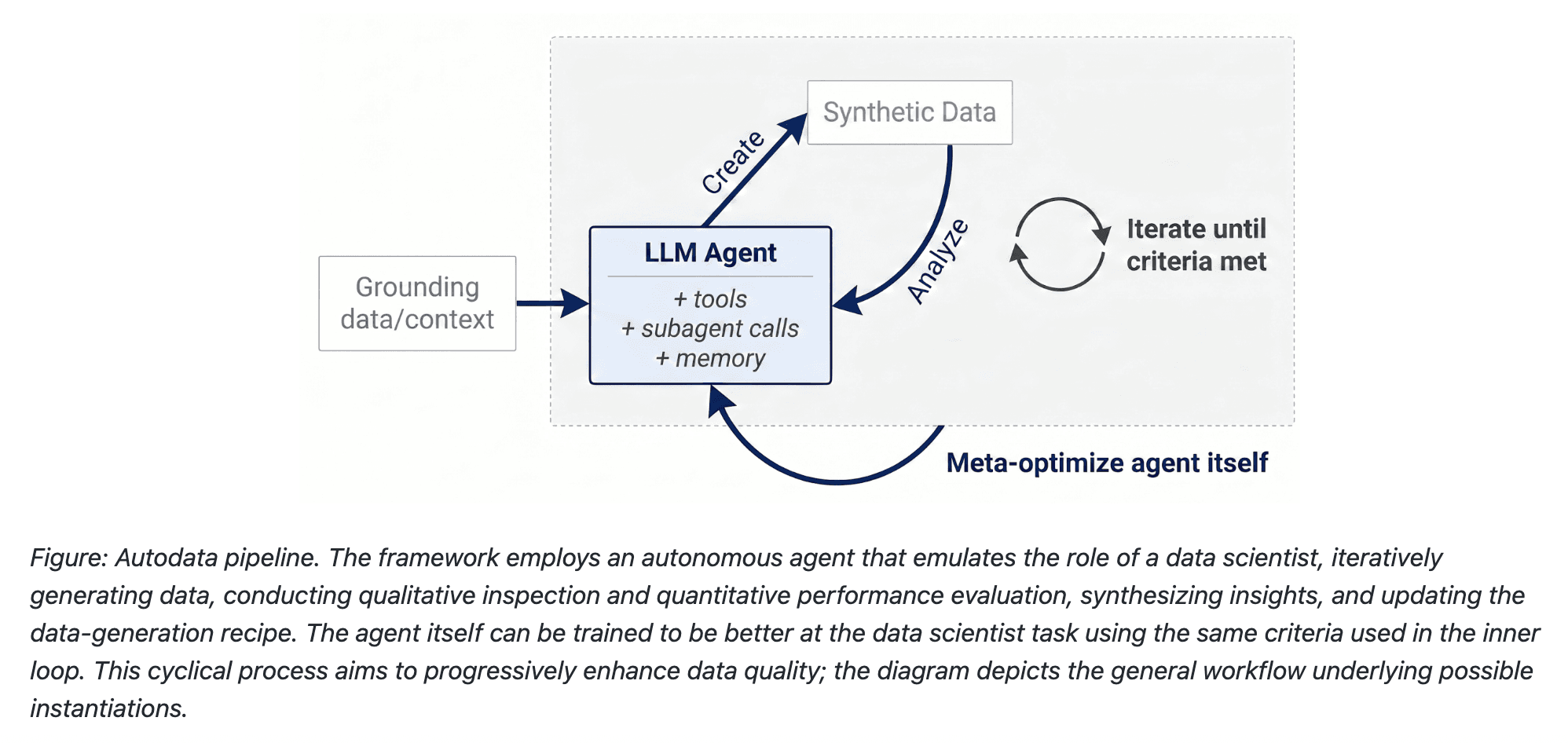
Meta Autodata: AI Framework for Autonomous Data Scientists
Gemini API Webhooks: Real-Time AI Automation
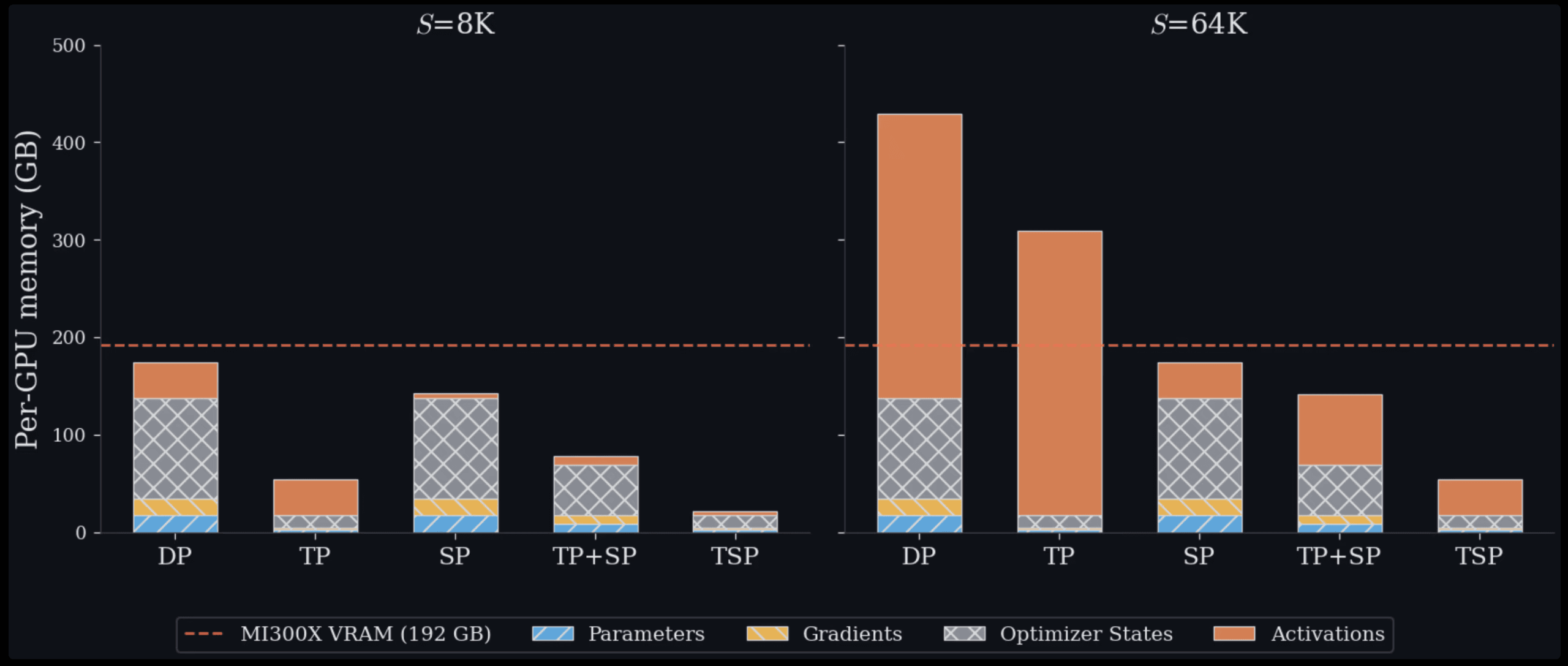
Zyphra TSP: 2.6x Faster AI Training Review

SoundHound OASYS: Self-Learning AI Agent Platform

Google Home Gemini 3.1: Smarter AI Assistant
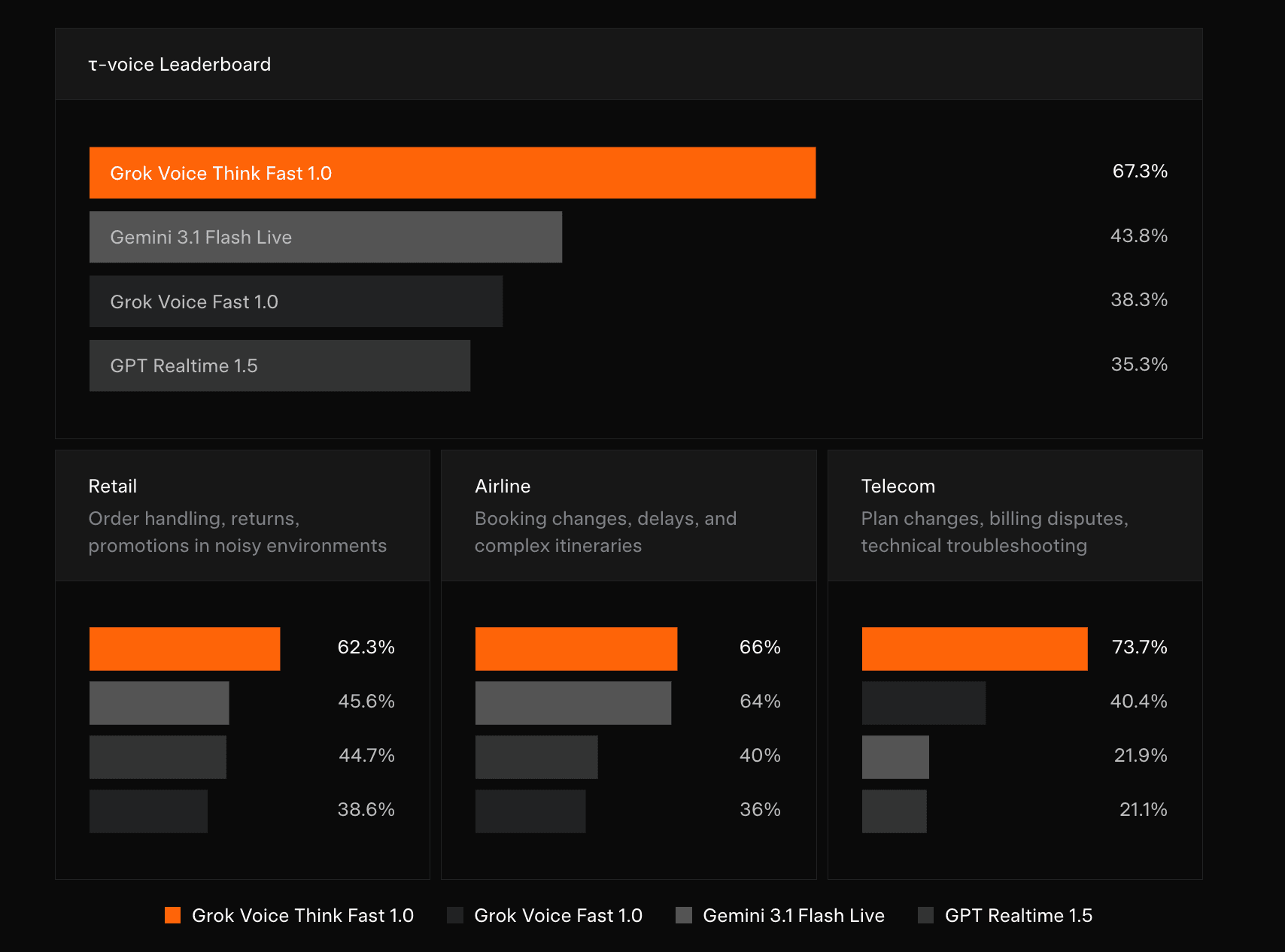
Grok Voice Think Fast 1.0 Review: AI Voice

Vision Banana Review: Google's Instruction-Tuned Image Generator
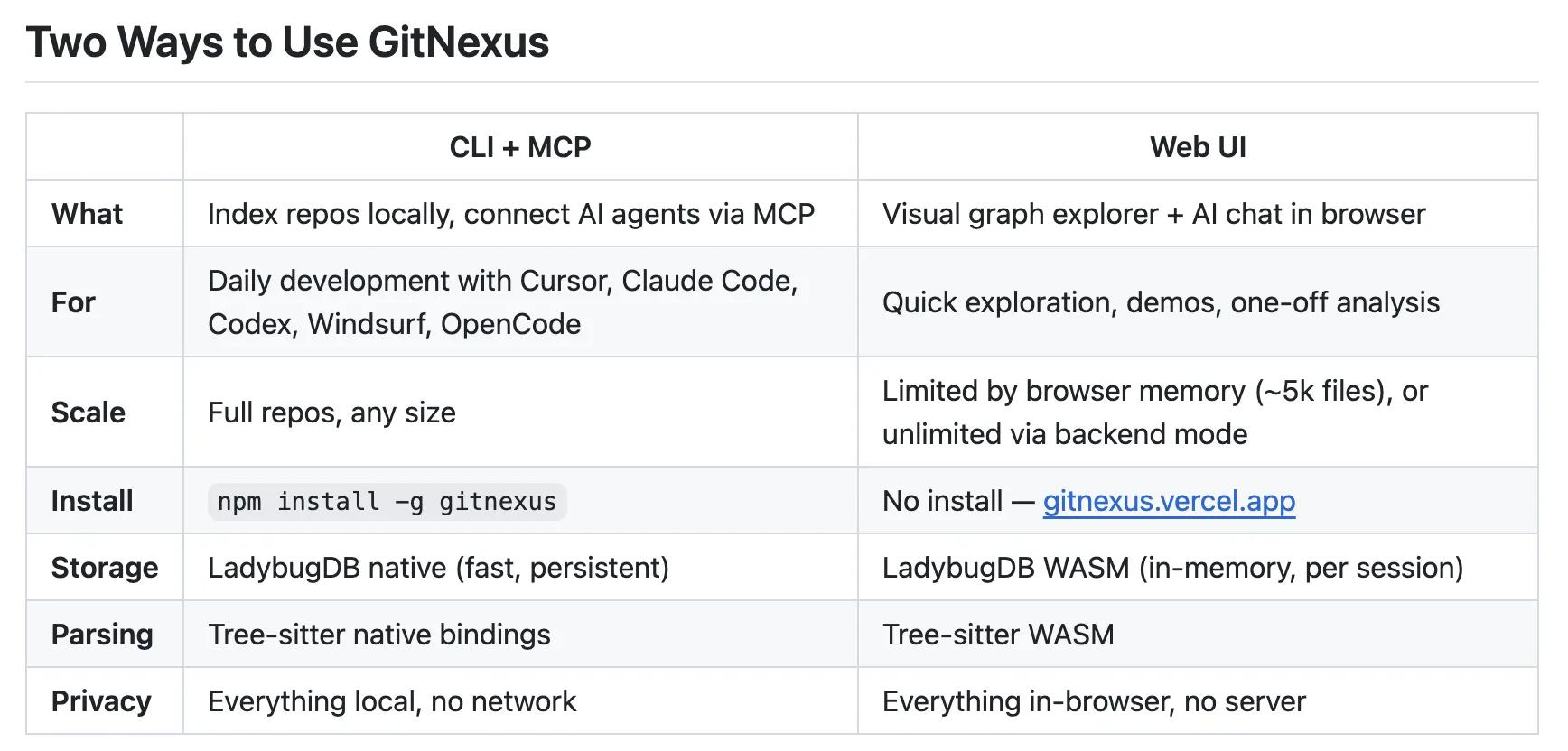
GitNexus Review: Open-Source Code Knowledge Graph
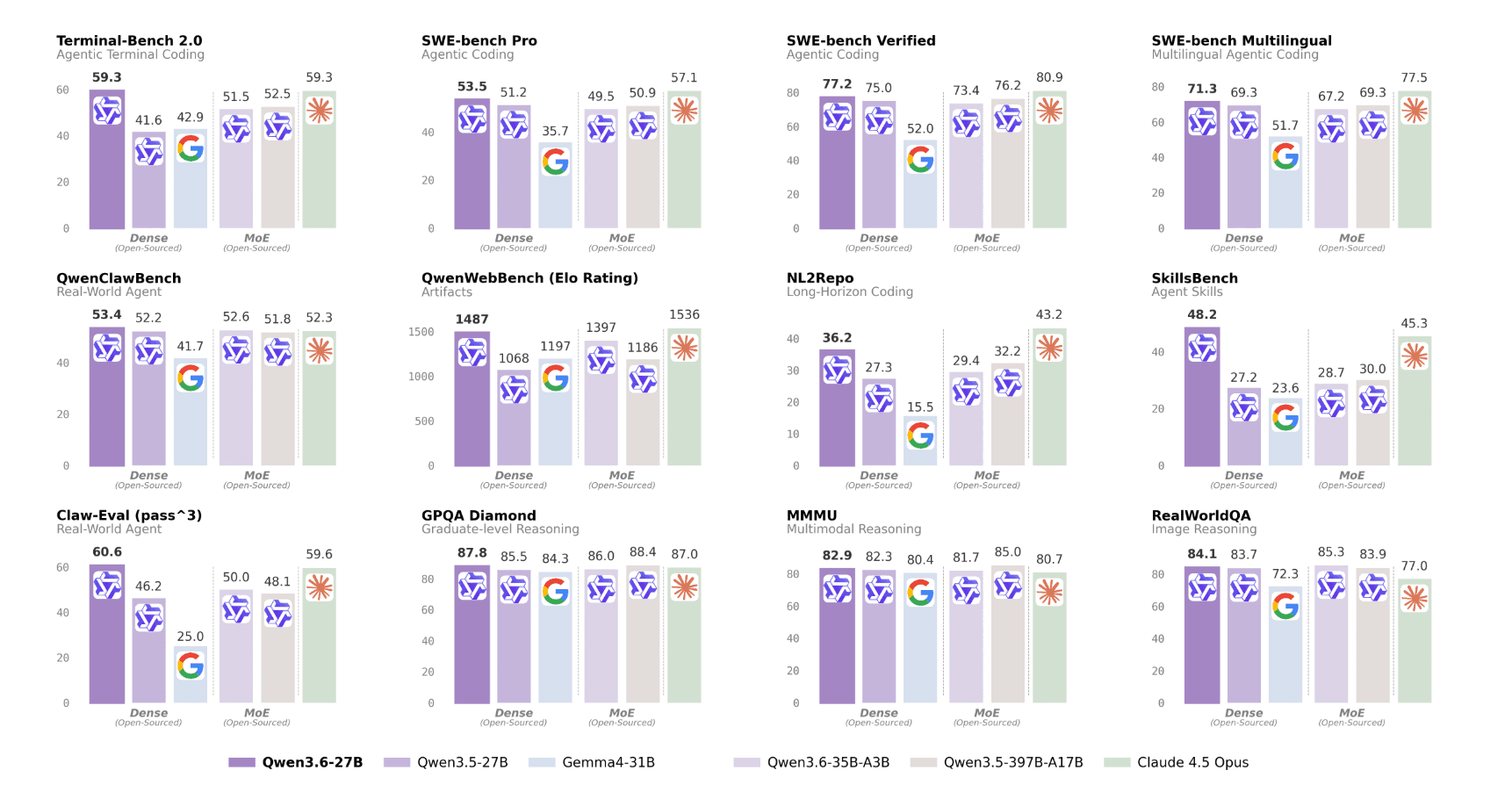
Qwen3.6-27B Review: Dense Model Outperforms 397B MoE

ChatGPT Workspace Agents: Custom AI Bots for Teams
You Might Like These Latest News
All AI NewsStay informed with the latest AI news, breakthroughs, trends, and updates shaping the future of artificial intelligence.
AI Data Centers Face Growing Crisis
May 10, 2026
SpaceX Plans $55B AI Chip Plant in Texas
May 8, 2026
Voi Founders Launch AI Startup Pit With $16M Seed
May 8, 2026
US Energy Secretary and NVIDIA Discuss AI-Powered Energy Future
May 8, 2026
Anthropic Finance Agents Disrupt Wall Street Jobs
May 7, 2026
Snap Ends $400M Perplexity AI Search Deal
May 7, 2026
Microsoft Copilot Hits 20M Paid Users
May 6, 2026
Runway Eyes World Models Beyond AI Video
May 6, 2026
Microsoft to Exploit New OpenAI Deal
May 6, 2026

Tools of The Day
Discover the top AI tools handpicked daily by our editors to help you stay ahead with the latest and most innovative solutions.